
CS2 Crosshairs – Best Settings, Pro Codes & How to Customize
15+ pro CS2 crosshair codes you can copy-paste. donk, ZywOo, NiKo, s1mple, m0NESY, ropz and more. How to import, customize, and find the right crosshair.

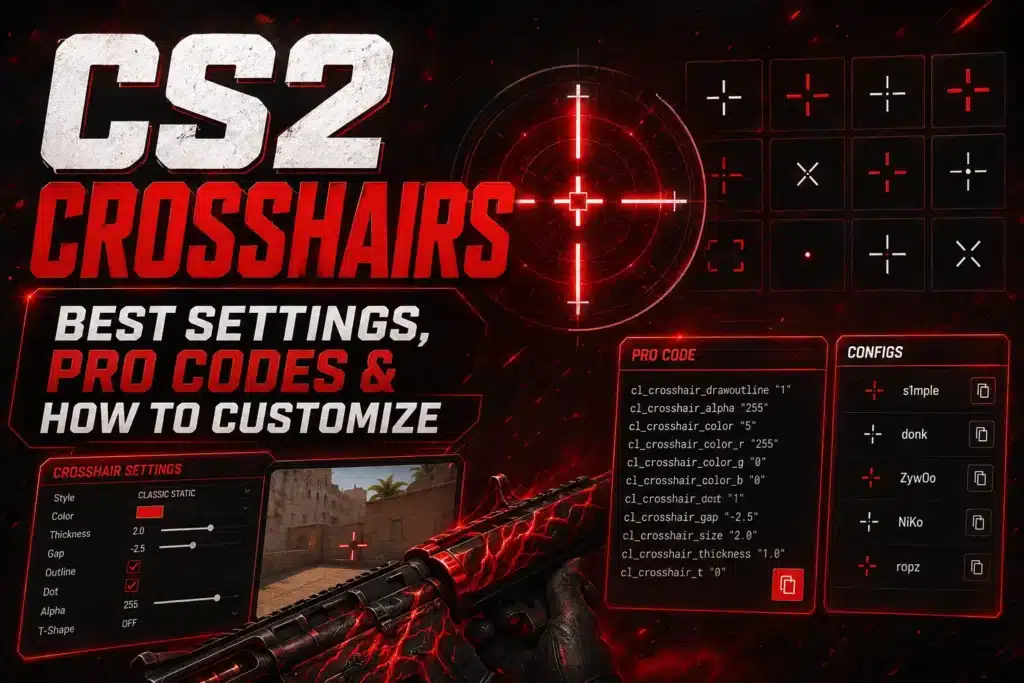
Your crosshair is the one thing you look at every second of every round. A good crosshair doesn’t make you aim better on its own, but it removes visual noise, makes headshot placement clearer, and gives you a consistent reference point your muscle memory can lock onto.
This guide covers how to change your crosshair in CS2, what each setting does, 15+ pro player crosshair codes you can copy-paste, and how to build a custom crosshair that fits your playstyle.
How to Import a Crosshair Code in CS2
Takes 30 seconds:
1. Open CS2, click the gear icon (top left) to open Settings 2. Click the “Game” tab 3. Select “Crosshair” from the left sidebar 4. Click “Share or Import” in the bottom right of the crosshair preview 5. Paste the code and click “Import”
Changes apply immediately. You can test in-game without restarting.
To share your own crosshair: same menu, click “Share or Import,” and copy the generated code.
15 Pro Player Crosshair Codes (Copy-Paste Ready)
Every code below can be pasted directly into CS2. Codes update when players change settings – these are current as of June 2026.
Pro Crosshair Code Table
| Player | Team | Role | Code | Style |
|---|---|---|---|---|
| donk | Spirit | Rifler | CSGO-SND6x-vhZ87-XDCPz-BycJh-aK6FP | Compact, aggressive |
| ZywOo | Vitality | AWP/Rifle | CSGO-c2nZk-um3no-3LSxE-ZXO5n-Mv5qB | Balanced, medium size |
| NiKo | G2 | Rifler | CSGO-Ph3VN-rXMnh-nO2FQ-bBnzO-6FWGD | Tight gap, precise |
| s1mple | – | Rifler/AWP | CSGO-E8xcE-27Lmw-2ipNt-3HZvp-pevvE | Classic, beginner-friendly |
| m0NESY | G2 | AWP | CSGO-d7yNw-RVvip-Jk8KY-cGYPy-8emwG | Small, clean |
| ropz | FaZe | Rifler | CSGO-MMQuh-Hs3Sj-Qv9zd-VaCmc-3QqNO | Minimal, precise |
| device | Astralis | AWP | CSGO-sXaFv-b5pKi-2rsEy-Ky2zF-qbk7D | Medium, versatile |
| EliGE | Liquid | Rifler | CSGO-HkNRa-9R2Gj-Y5rCC-EbSPT-K4Y2F | Tight, competitive |
| Twistzz | FaZe | Rifler | CSGO-7JA6q-7VjLz-A2wxy-fHxcC-EnY4D | Small static |
| broky | FaZe | AWP | CSGO-Cu5bN-ddPEp-5GPUQ-U7Rrj-EL3bA | Medium, AWP-focused |
| rain | FaZe | Rifler | CSGO-LOpYM-DW7Rf-QYxuN-4Asnz-5CaZP | Classic static |
| frozen | MOUZ | Rifler | CSGO-xjz3u-dYp8K-N9rcJ-CXS3o-R3FqA | Compact |
| Ax1Le | Cloud9 | Rifler | CSGO-TGD6R-eFJzp-Y3HMR-EGDt2-CnWqC | Tight gap |
| jL | Spirit | AWP | CSGO-N7xEJ-hWVcm-C8RTd-EWPZB-pZsOD | Small, clean |
| sh1ro | Cloud9 | AWP | CSGO-ULuCO-cA4Ln-OMQxO-KKUvx-qMfFP | Precise, minimal |
Note: Pro players change crosshairs frequently. If a code doesn’t look right, search “[player name] crosshair 2026” for the latest version. Sites like prosettings.net and totalcsgo.com track changes in real-time.
Crosshair Settings Explained
Style (cl_crosshairstyle)
CS2 offers five crosshair styles. The only two that matter for competitive play:
Style 4 (Classic Static) – Fixed crosshair that doesn’t move. 80%+ of pros use this. The crosshair stays the same whether you’re running, standing, or shooting. Your brain learns one reference point.
Style 5 (Classic Dynamic) – Expands when you move or fire, contracts when you stand still. Gives visual feedback on accuracy. Some players prefer this for spray control because the crosshair shows roughly where your bullets are going. ~15% of pros use dynamic.
Our recommendation: start with Style 4. Switch to Style 5 only if you feel you need movement feedback.
Size (cl_crosshairsize)
Controls the length of the crosshair arms. Most pros use 1.5 to 3. Smaller = more precise aiming reference but harder to see. Larger = easier to track but covers more of the target.
Start at size 2 and adjust. If you’re missing headshots because you can’t see where you’re aiming, go bigger. If you feel the crosshair is blocking your view of the target, go smaller.
Gap (cl_crosshairgap)
The space between the center point and the start of each arm. Negative values pull the arms closer together. Most pros use gap -2 to -3.
A tight gap (-3) creates a small, precise crosshair ideal for one-taps. A wider gap (0 or positive) makes it easier to see the target through the crosshair center.
Thickness (cl_crosshairthickness)
How wide each arm is. Range: 0 to 1.5. Thickness 0.5 to 1 is the standard. Thinner = more precision at range. Thicker = easier to see.
Color
CS2 lets you set exact RGB values. The best colors for visibility across competitive maps:
Cyan (0, 255, 255) – The #1 pro choice in 2026. High contrast on nearly every surface. Rarely appears in map textures.
Green (0, 255, 0) – The CS default. Works on most maps but can blend with grass/foliage on Ancient and parts of Overpass.
Yellow (255, 255, 0) – Good visibility, less popular but effective. Works well on dark maps.
White (255, 255, 255) – Clean look but washes out on bright walls and sky backgrounds.
Avoid red – Blends with enemy model outlines, damage indicators, and kill feed elements.
Outline (cl_crosshair_drawoutline)
Adds a thin dark border around the crosshair arms. Turn it on. Outline makes your crosshair visible on both bright and dark backgrounds with no downside. Most pros use outline thickness 0.5-1.
Center Dot (cl_crosshairdot)
A small dot at the exact center. Opinions are split:
Pros of using a dot: More precise one-tap reference, helps with single headshot aiming.
Cons: Can block the target at long range, adds visual noise to an otherwise clean crosshair.
Most pros don’t use a dot. Try without first.
Pro Settings Comparison Table
| Setting | donk | ZywOo | NiKo | s1mple | m0NESY | ropz |
|---|---|---|---|---|---|---|
| Style | 4 (Static) | 4 (Static) | 4 (Static) | 4 (Static) | 4 (Static) | 4 (Static) |
| Size | 1.5 | 2 | 2 | 2 | 1.5 | 1.5 |
| Gap | -3 | -2 | -2 | -2 | -3 | -3 |
| Thickness | 0 | 0.5 | 0.5 | 0.5 | 0 | 0.5 |
| Color | Green | Cyan | Green | Cyan | Green | Green |
| Outline | On (1) | On (0.5) | On (1) | On (1) | On (1) | On (0.5) |
| Dot | No | No | No | No | No | No |
The pattern: All six use Style 4 (static). All use size 1.5-2 with negative gap. All use either green or cyan. All have outline on. None use a center dot. The differences are in the fine details.
Best Crosshair for Different Playstyles
Headshot riflers (donk, NiKo, ropz style): Small size (1.5), tight gap (-3), thin lines (0-0.5 thickness). This crosshair is built for precision at the cost of visibility. You need already-good aim to benefit from this setup.
AWP players (ZywOo, m0NESY, device style): Medium size (2), moderate gap (-2), slightly thicker lines (0.5). AWPers need to see the crosshair quickly when quickscoping and when using rifles on eco rounds. Slightly larger crosshairs help.
Entry fraggers: Consider Style 5 (dynamic) with size 2-3 and gap -1. The expanding crosshair gives feedback during sprays, which helps when you’re the first one through a door and need to spray transfer between multiple targets.
Beginners: Start with s1mple’s crosshair. It’s visible, balanced, and works for both rifles and AWP. Use it for 50+ hours before making changes. Changing crosshairs every week resets your visual muscle memory.
Map-Specific Color Tips
Most pros use one color across all maps. But if you want to optimize:
Dust 2, Mirage, Anubis (bright, sandy maps): Cyan or green. Both pop against tan/beige surfaces.
Ancient, Overpass (green/nature maps): Cyan or yellow. Green crosshairs can blend with foliage.
Nuke, Vertigo (indoor/industrial maps): Any color works. Cyan is safest.
Inferno (warm-toned map): Cyan stands out against the orange/brown palette. Green also works.
If you don’t want to change colors per map, cyan is the single best choice because it has high contrast on every competitive map surface.
CS2 Crosshair FAQ
How do I import a crosshair code in CS2?
Settings > Game > Crosshair > Share or Import (bottom right) > paste the code > Import. Takes 30 seconds.
What crosshair do most pros use?
Style 4 (Classic Static), size 1.5-2.5, gap -2 to -3, thickness 0.5, outline on, green or cyan color. No center dot. This range covers 80%+ of pro players.
What’s the best crosshair color?
Cyan (0, 255, 255) is the most popular and most consistently visible across all maps in 2026. Green is a close second. Avoid red.
Should I use a dynamic or static crosshair?
Static (Style 4) for most players. It gives a consistent reference point your brain can rely on. Dynamic (Style 5) only if you specifically want movement/spray feedback. 80%+ of pros use static.
Does crosshair affect aim?
Not directly. Your crosshair doesn’t change bullet spread or accuracy. But it affects your perception of where you’re aiming, which indirectly impacts your hit rate. A clean, visible crosshair reduces visual noise and makes headshot placement more consistent.
How often should I change my crosshair?
As rarely as possible. Pick a crosshair, use it for at least 50 hours of play, then evaluate. Switching every few days prevents your muscle memory from adapting. Consistency beats optimization.
Can I see other players’ crosshairs in-game?
Not directly. But you can look up any pro’s crosshair code on sites like totalcsgo.com/crosshairs (1,000+ pro crosshairs), prosettings.net, or specs.gg. Most pro settings are tracked and updated in real-time.
What crosshair does donk use?
As of June 2026: CSGO-SND6x-vhZ87-XDCPz-BycJh-aK6FP. Style 4 static, size 1.5, gap -3, green color, outline on. donk frequently tweaks settings between events, so check prosettings.net for the latest.
Last updated: June 2026. Pro crosshair codes are verified against prosettings.net and totalcsgo.com.