
Rust Wallpaper – Best Downloads (2026)
Best Rust wallpapers for 2026. Free 4K and HD downloads for desktop and mobile. Top sources for Rust game backgrounds, landscapes, skins, and fan art.
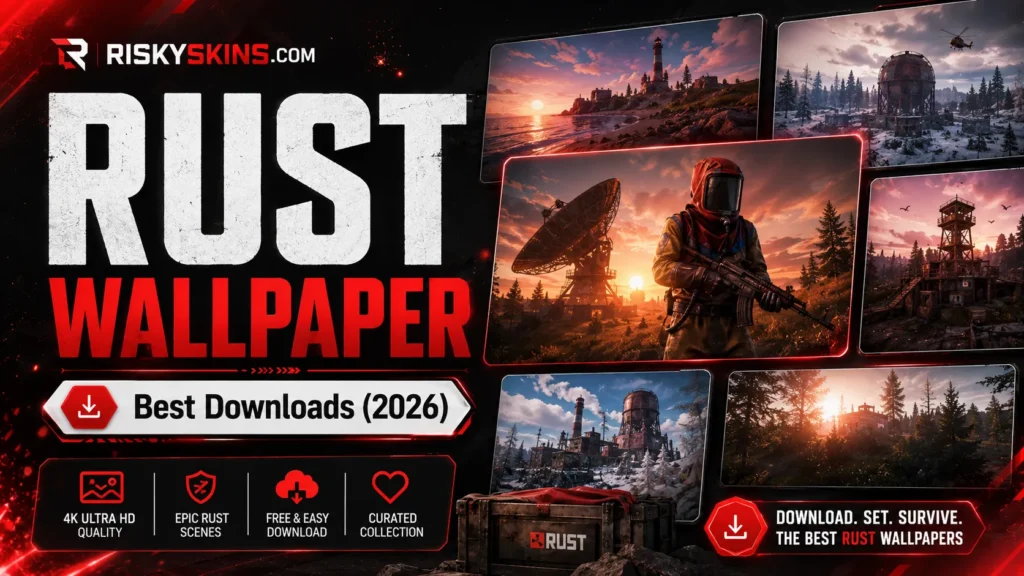
Looking for a rust wallpaper that matches the game’s raw survival atmosphere? The best Rust wallpapers capture the post-apocalyptic landscapes, iconic skins, and brutal PvP moments that define the game. Free downloads in 4K, HD, and mobile sizes.
This guide covers the best sources for Rust game wallpapers, the most popular categories, and tips for finding the right resolution for your setup.
Best Rust Wallpaper Sources
| Website | Resolutions | Collection Size | Cost |
|---|---|---|---|
| Wallpaper Cave | 1080p, 4K | 100+ | Free |
| WallpaperAccess | 1080p, 2K, 4K | 49+ | Free |
| WallpaperFlare | 1080p, 2K, 4K, 5K | 100+ | Free |
| Wallpapers.com | 1080p, 4K | 100+ | Free |
| Alpha Coders | 1080p, 4K, ultrawide | 50+ | Free |
| UHDPaper | 4K, mobile | 30+ | Free |
All sites offer free downloads. No account needed for most. Just find the wallpaper you like, click download, and select your resolution.
Popular Rust Wallpaper Categories
Landscapes & Environment
Rust’s world is stunning. Sunsets over the ocean. Snow-covered mountains. Dense forests. Abandoned monuments. These wallpapers capture the beauty hiding behind the survival brutality. Best for desktop backgrounds where you want a clean, atmospheric look.
Skins & Items
Rust skin wallpapers showcase the game’s most valuable cosmetics. AK-47 skins. Armor sets. Face masks. Hazmat suits. Popular for players who want to flex their favorite items on their desktop.
PvP & Combat
Raids. Gunfights. Helicopter takedowns. These wallpapers capture the chaos of Rust’s PvP. High-action shots with explosions, fire, and combat. Best for gamers who want energy on their screen.
Monuments
Oil Rig. Launch Site. Dome. Military Tunnels. Monument wallpapers show the game’s most iconic locations. Clean renders or in-game screenshots both work well.
Fan Art
The Rust community creates incredible fan art. Stylized characters. Artistic takes on monuments. Creative interpretations of the game’s survival theme. Find these on Reddit’s r/playrust and community art sites.
How to Pick the Right Resolution
| Your Setup | Resolution to Download |
|---|---|
| 1080p monitor | 1920×1080 (Full HD) |
| 1440p monitor | 2560×1440 (2K / QHD) |
| 4K monitor | 3840×2160 (4K / UHD) |
| Ultrawide monitor | 3440×1440 or 5120×1440 |
| Dual monitor | 3840×1080 or 5120×1440 |
| iPhone | 1170×2532 or 1290×2796 |
| Android | 1080×2400 or 1440×3200 |
Always download one resolution higher than your screen if available. Downscaling looks better than upscaling. A 4K wallpaper on a 1440p monitor looks sharper than a 1080p wallpaper stretched to fit.
Where to Find Rust Steam Screenshots
Some of the best Rust wallpapers come from in-game screenshots. Press F12 in Steam to take a screenshot. For higher quality:
Enable uncompressed screenshots. Go to Steam Settings. Select In-Game. Check “Save an uncompressed copy.” Your screenshots save at full resolution without JPEG compression.
Use console commands. Open console (~) and type graphics.screenshot for a raw screenshot. Higher quality than F12.
Remove the HUD. Type hud.enabled false in console before taking the screenshot. Clean images without UI elements. Type hud.enabled true to restore it.
Rust Skins as Wallpapers
Some Rust skins look incredible as wallpapers. The artwork on high-tier skins translates well to desktop backgrounds. Find skin renders on the Rust Workshop or fan sites. Popular choices include the Dragon series, Glory sets, and Tempered weapon skins.
Want to gamble for rare Rust skins? Check our Rust gambling sites guide. For CS2 platforms, see our CS2 gambling sites overview.
FAQ
Where to download free Rust wallpapers?
Wallpaper Cave, WallpaperAccess, WallpaperFlare, Wallpapers.com, and Alpha Coders. All free. No account needed for most.
What resolution should I download?
Match your monitor. 1920×1080 for 1080p. 2560×1440 for 1440p. 3840×2160 for 4K. Download one step higher if available for the sharpest look.
Are there Rust wallpapers for mobile?
Yes. UHDPaper and WallpaperFlare offer mobile-specific Rust wallpapers. Look for portrait orientation in 1080×2400 or similar sizes.
How do I take good Rust screenshots for wallpapers?
Enable uncompressed screenshots in Steam settings. Disable the HUD with hud.enabled false. Use graphics.screenshot in console for the highest quality.