
Most people build a CS2 loadout the slow way — one skin at a time, in-game, hoping the total doesn't get out of hand. It always does. This CS2 loadout builder flips that: you build the whole thing first, see what it costs, then decide. Pick a skin for every Terrorist and Counter-Terrorist weapon, add a knife, gloves and an agent, and the total updates live as you go. Don't know where to start? Set a budget, anything from $50 to Unlimited, and hit re-roll — every slot fills with real skins that fit your spend, a full loadout in one click. Here's the part other tools skip: every pick shows a live price and links to where you buy it cheapest, so you don't just see a build, you see what it actually costs. When it's right, share it with one link.
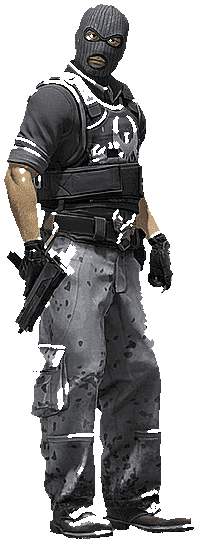
A CS2 loadout is every skin you run across your weapons, knife, gloves and agent, per side. This builder lets you plan all of it outside the game. Price it. Share it. No guessing.
Two ways to use it.
Build it yourself. Tap any weapon. Browse real skins for that gun with live prices attached. Choose your AK on T, your M4 on CT, then work down through pistols, SMGs and heavy. The total at the top moves every time you swap. You always know where you stand.
Re-roll on a budget. Pick a budget. The builder fills every slot on both sides with skins that land near that number. Don't like it? Re-roll. Again. As many times as you want. Set it to Unlimited and let it chase the dream build.
That second mode is the fastest CS2 loadout maker around. You go from empty buy menu to a finished inventory in one click.
Presets run from $50 to $2,500, plus Unlimited:
The point of the budget isn't the limit. It's that you see exactly what your money buys before you spend it. No buyer's remorse.
Want every gun to match? Set a colour. The whole loadout leans that way.
Red pulls reds across your rifles, pistols and SMGs. Same for a blue loadout, a green loadout, a purple loadout, white, whatever you're chasing.
Building a colour-matched CS2 loadout by hand is brutal. You'd cross-reference dozens of skins per slot for hours. The colour filter does it in a click. Then you fine-tune the picks you care about and leave the rest.
Every skin shows a live market price. Every pick links to its comparison page on RiskySkins.
That page lists the skin across the markets we track. So you buy it for the lowest price, not whatever the first shop quotes.
This is where most loadout tools stop short. They let you mock up an inventory and call it done. Mocking it up is the easy part. The number next to every weapon here is real, and the total at the top is what the build costs you today.
Build done? Hit Share. It turns the whole thing into one link.
Send it to a friend. Drop it in a Discord. Post it for feedback. Save it for later.
Whoever opens it sees the full loadout with current prices. No account. No sign-in. It doubles as a CS2 loadout viewer for anyone you send it to.
In Counter-Strike 2 you can equip up to five skins per weapon, per team, and switch between them in the buy menu mid-match.
This builder keeps it to one skin per slot per side on purpose. You plan the clean version first. The loadout you'd actually run most rounds. Then you equip the same skins in-game through the Loadout menu.
A full loadout covers a lot of guns. Pistols (Glock or USP-S, P250, Tec-9, CZ75-Auto, Dual Berettas, Desert Eagle, R8 Revolver). SMGs (MAC-10, MP7, MP5-SD, UMP-45, P90, PP-Bizon). Heavy (Nova, XM1014, Sawed-Off, M249, Negev). Rifles (AK-47, Galil, M4, AWP, SSG 08, SG 553, AUG). Plus your knife and gloves.
Some guns are tied to one side. That's why the builder splits everything into a T column and a CT column, and why your best CT loadout looks different from your T side.
Here's the non-obvious bit. The expensive mistake isn't picking the wrong skin. It's buying slot by slot with no plan.
You drop $40 on an AK because it looked good in the moment. Then there's nothing left for the knife. Now the whole inventory feels off.
Planning the full build first kills that. It caps your total at a number you chose. It shows you how a colour reads across every weapon before you commit. And it lets you swap one skin and instantly see what it does to the total.
New to skins? Re-roll until something clicks, then make it yours. Trading or collecting? Mock up a build, price it, share it for a second opinion in seconds. Either way you start with a plan, not an empty inventory.
Frequently asked questions about the CS2 Loadout Builder.
A tool for putting together a full Counter-Strike 2 inventory outside the game. A skin for every weapon, plus knife, gloves and agent. The RiskySkins builder goes further than most: it shows live prices and links to where each skin is cheapest, so you can cost a loadout before spending a cent.
Yes. Build, re-roll, price and share as much as you want. No charge, no purchase needed to see prices. It's a free CS2 loadout builder, full stop.
No. No Steam login, no account. That also keeps it safe. You're planning a build, not handing over access to your inventory.
Pick a tier ($50 to $2,500, or Unlimited) and hit re-roll. The builder fills every slot on both sides so the total lands near your budget. Re-roll for a fresh combination as often as you like, or tweak picks by hand. It works like a CS2 loadout generator that respects your spend.
Yes. The builder splits into a Terrorist column and a Counter-Terrorist column. Side-locked guns like the Glock and Galil on T, or the M4 and FAMAS on CT, drop into the right column for you. Handy when you want a specific look for your best CT loadout.
Pick a colour and the builder steers every weapon toward that palette. Red, blue, green, purple, white and more. Building a matching CS2 loadout by hand takes hours. This does it in a click, then you adjust the picks you care about.
The price next to each skin is pulled live, and the total reflects current prices. Every pick links to its RiskySkins comparison page, which lists the skin across the marketplaces we track so you buy it for the lowest price available.
Yes. The Share button turns your build into one link. Whoever opens it sees the full loadout and live prices, no account needed. Good for sending builds to friends, posting in a Discord, or asking for feedback.
In CS2 you can equip up to five skins per weapon for each team and swap them in the buy menu. The builder keeps it to one chosen skin per slot per side, so you plan the clean version first, then equip it in-game.
There isn't one. It depends on your budget and the look you want. Fastest way to find yours: set a budget, re-roll a few full builds for ideas, then swap in the skins you actually like. Add a colour theme if you want everything to match.